
How to Use AI Chat to Book More Meetings with Cal.com
Connect Paperchat to Cal.com so your AI chatbot can qualify leads and book meetings directly in the chat window — without any back-and-forth emails.

Stan
@stan
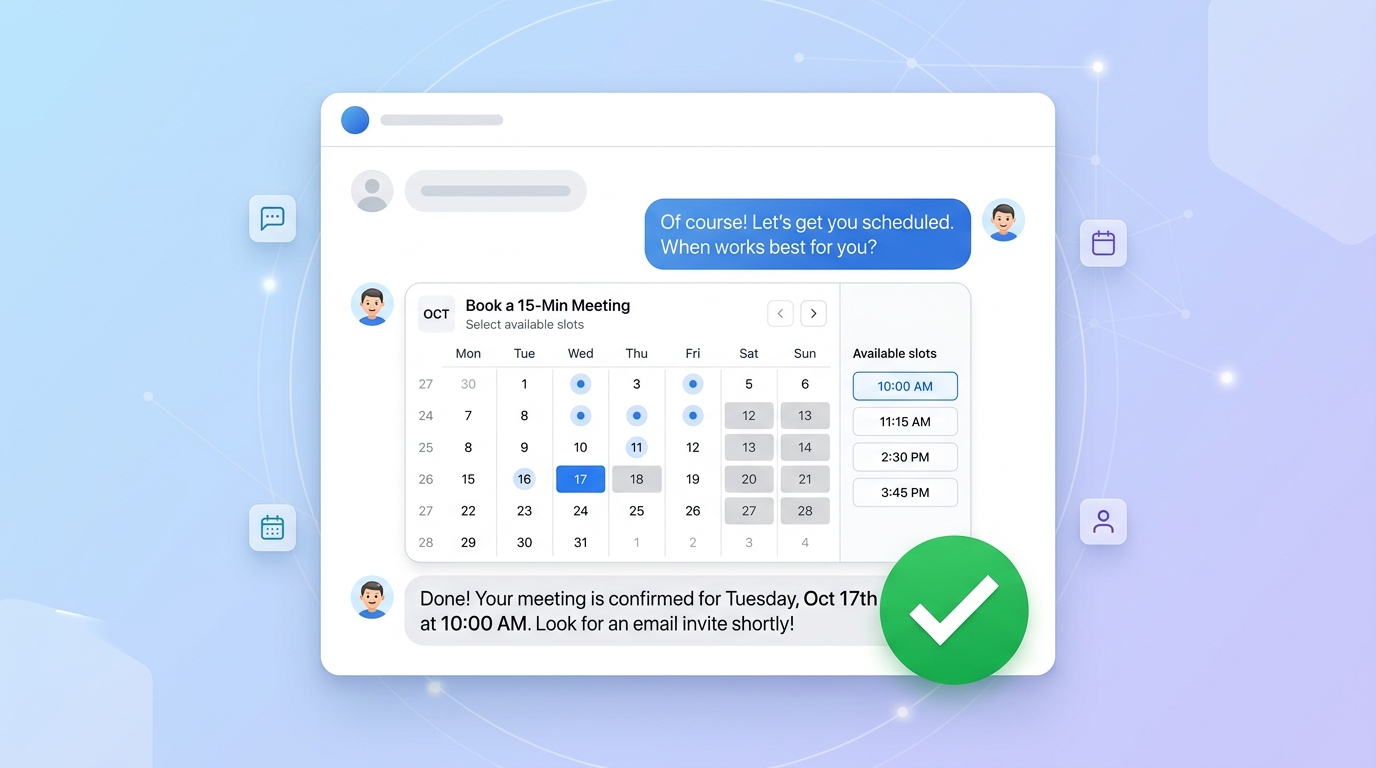
The typical sales meeting booking process involves too many steps: visitor fills out a form, gets an email, picks a time, receives a calendar invite, and maybe — if everything goes right — shows up. Each friction point costs you bookings.
Paperchat's Cal.com integration collapses that process into a single chat conversation. A visitor asks a question, the bot qualifies them, and a meeting is booked — all without leaving the chat window.
Why Cal.com + Paperchat Works So Well
Cal.com is an open-source scheduling platform that lets you manage availability, meeting types, and calendar integrations. It's flexible, free for solo use, and integrates cleanly with Paperchat through the embed API.
Together, they create a conversational booking flow:
- Visitor lands on your site and opens the chat
- Bot asks qualifying questions
- If the visitor is a good fit, the bot offers to book a call
- A Cal.com scheduling embed appears inside the chat
- Visitor picks a time slot and books directly
- Both parties receive calendar invites automatically
No form. No email chain. No friction.
Step 1: Set Up Your Cal.com Account
If you don't have a Cal.com account yet, create a free one at cal.com. Configure:
- Your availability — set working hours and block off any unavailable times
- Meeting types — create at least one event type for demos or discovery calls (e.g., "30-Minute Product Demo")
- Buffer time — add time before and after meetings to avoid back-to-back scheduling
- Calendar sync — connect Google Calendar or Outlook to prevent double-booking
Once your availability is set, grab your Cal.com embed link for the meeting type you want to use. It looks like: https://cal.com/yourname/demo-call
Step 2: Enable the Cal.com Integration in Paperchat
In your Paperchat dashboard, go to Settings → Integrations → Cal.com.
Paste your Cal.com URL and configure the integration:
- Meeting type URL — the specific event type you want to offer in chat
- Qualification threshold — whether to show the booking option to all visitors or only those who meet certain criteria
- Trigger phrase — the phrase or intent that causes the bot to offer a booking
The trigger phrase is important. You don't want the bot offering a meeting to every visitor who says hello. Configure it to trigger when visitors express intent like:
- "I'd like to see a demo"
- "Can I talk to someone?"
- "I want to learn more about pricing"
- "How does this work for my business?"
Step 3: Build the Qualification Flow
The most effective meeting-booking bots don't just book immediately — they qualify first. A short qualification prevents no-shows from visitors who aren't a real fit.
Configure a qualification sequence in Settings → Chat Flows:
Bot: "Happy to set up a demo! Quick question — what's the main thing you're hoping
     to solve with a chat tool?"

Visitor: [answers]

Bot: "Got it. And roughly how many customer conversations does your business handle
     each month?"

Visitor: [answers]

Bot: "Perfect, sounds like a great fit. I can book you in with our team —
     want to pick a time now?"
This three-message exchange takes under a minute and filters out visitors who aren't ready or aren't a match. Qualified visitors are more likely to show up and convert.
Step 4: Configure the Booking Embed
When a visitor accepts the meeting offer, Paperchat renders a Cal.com booking embed directly in the chat window. The visitor sees a calendar view, picks a time slot, enters their name and email, and confirms — all without leaving the chat.
Customize the embed appearance in Settings → Cal.com → Widget Appearance:
- Set the embed color to match your brand
- Choose between a full calendar view and a simplified time-slot list (the list view converts better in chat)
- Configure the confirmation message shown after booking
Step 5: Set Up Post-Booking Automation
After a meeting is booked, automate what comes next:
Immediate confirmation The bot sends a confirmation message in chat: "You're all set! Check your email for the calendar invite. Looking forward to speaking with you."
CRM update Via Zapier or n8n, trigger a workflow that creates or updates a contact in your CRM with the meeting details and the chat transcript. Your sales rep walks into the call with full context.
Reminder sequence Cal.com sends automatic email reminders (24 hours and 1 hour before), but you can supplement with a personalized follow-up via your email tool — a relevant case study or resource to read before the call.
Slack notification Notify your sales team channel whenever a meeting is booked through chat. Include the visitor's answers from the qualification flow so the rep knows what to prepare.
Measuring Booking Performance
Track these metrics to understand how well your chat-to-meeting flow is working:
| Metric | Target |
|---|---|
| Chat → meeting offer rate | 15–25% of conversations |
| Meeting offer → booking rate | 40–60% |
| Booking show rate | 70%+ |
| Show-to-opportunity rate | Depends on your sales cycle |
If your show rate is low, review the qualification flow — you may be booking visitors who aren't ready. If your booking rate is low, the offer may be appearing too early or the friction in the booking step may be too high.
Tips for Higher Booking Rates
Offer value before asking for time. Let the bot answer two or three questions before offering a meeting. Visitors who've gotten value from the bot are more willing to book.
Use specific meeting language. "Book a 30-minute demo" outperforms "schedule a call." Specificity sets expectations.
Show social proof near the booking step. Configure the bot to mention a relevant statistic or testimonial before presenting the calendar: "Our customers typically see a 40% reduction in support volume in the first month. Want to see how that would work for your business?"
Test different qualification lengths. A 2-question flow versus a 5-question flow can have very different results. Run A/B tests quarterly.
Integrating Paperchat with Cal.com is one of the highest-ROI things you can do with your AI chatbot. Booking meetings is the moment a website visitor becomes a sales opportunity — and removing the friction from that moment directly impacts your pipeline. Set it up once, and your chatbot fills your calendar while you focus on closing.
More Articles
How to Capture More Leads with an AI Chat Widget on Your Website
Turn passive website visitors into qualified leads using Paperchat's AI chat widget — with proactive messaging, lead forms, and CRM sync.
March 29, 2026
How to Connect Your AI Chatbot to Zapier, n8n, and Make
Automate workflows triggered by chat events — send leads to your CRM, notify your team on Slack, create support tickets, and more.
March 29, 2026